01 / THE CHALLENGE
Different requests join the same line
WITH ADOQ
Organize queues by the help you provide
Create queues for the assistance services your team operates and register travelers at the appropriate desk.
Help staffed airport assistance desks organize waiting travelers, direct service requests and keep handovers between counters clear.

Several people arrive with different questions. One request needs a longer conversation; another belongs at a different desk. AdoQ gives assistance teams a shared sequence and a way to record what happened.
Practical tools for the moments your team handles every day.
Create queues for the assistance services your team operates and register travelers at the appropriate desk.
Transfer the visitor to another service queue and keep staff-entered notes connected to the record.
Review active queues and date-filtered visit reports to understand service activity and waiting patterns.
A suggested workflow you can adapt to your service points and staff responsibilities.
Register the visitor and capture the reason for the assistance request.
Place the visit in the relevant queue and share its private status link.
Call the visitor, record the conversation and transfer to another desk when needed.
Mark the visit complete and leave a clear service history for authorized staff.
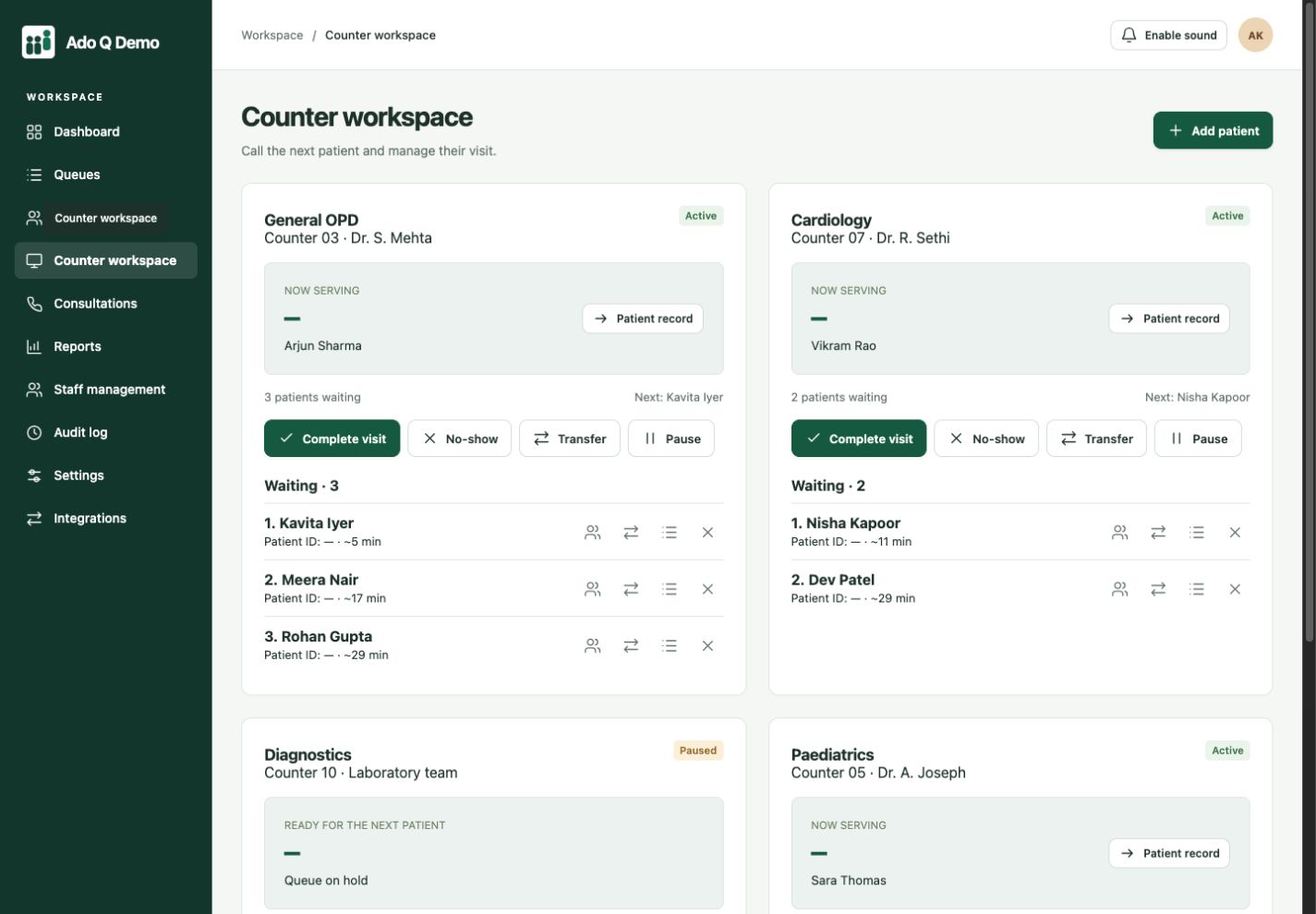
A focused counter view of who is next and the context staff have already recorded.
Visibility across assistance queues and staff activity during busy service periods.
Give customers a personal queue-status link. They can check their place from their phone, without installing a dedicated app or returning to the desk for every update.
Their phone shows queue and visit status. Your authorized team manages the detailed records, notes and documents in Ado Q.
See the visitor experience QUEUE STATUS
Customer support
Sample queue preview · One personal link.
No dedicated app to download.
A service queue is one part of the experience. The customer relationship goes further.
Keep contact details, previous visits, service notes and uploaded documents together. Add custom fields for the information your team needs.
Explore record managementOffer a scheduled one-to-one conversation with an adviser inside Ado Q. Save the subject, recommendations and follow-up notes for your team.
Explore online consultationsStaff see the people waiting for their counter. Shown here with healthcare sample queues; configure names for your assistance services.
No. This use case is for staffed assistance queues. AdoQ is not an airline reservation, check-in, boarding or security-screening system.
No. Waiting times are estimates only. Flight-related decisions and time-critical assistance remain the responsibility of airport and airline staff.
Evaluate it for a defined, staffed assistance queue: register the request, call the next traveler and record the handover. It is not an airline check-in, boarding, security or departure-control system.
Yes. Staff can add arrivals at the desk and manage their place in the assistance queue. Decide on clear calling and accessibility arrangements for travelers who are not using a status link.
For staffed assistance desks only. No airline system integration, boarding control or aviation safety functionality is implied. The current trial is a test environment: use fictional information only.
Connected clients. Coordinated service.
More human connection.