
Understand arrivals and waits
Review total and served visits, cancellation rates and waiting-time measures. Hourly and monthly visit views help teams explore demand patterns.
Give the people running operations something better than a recollection of how busy it felt. Bring visit activity, waiting patterns and team access into view.
Compare arrivals with the people available to serve them.
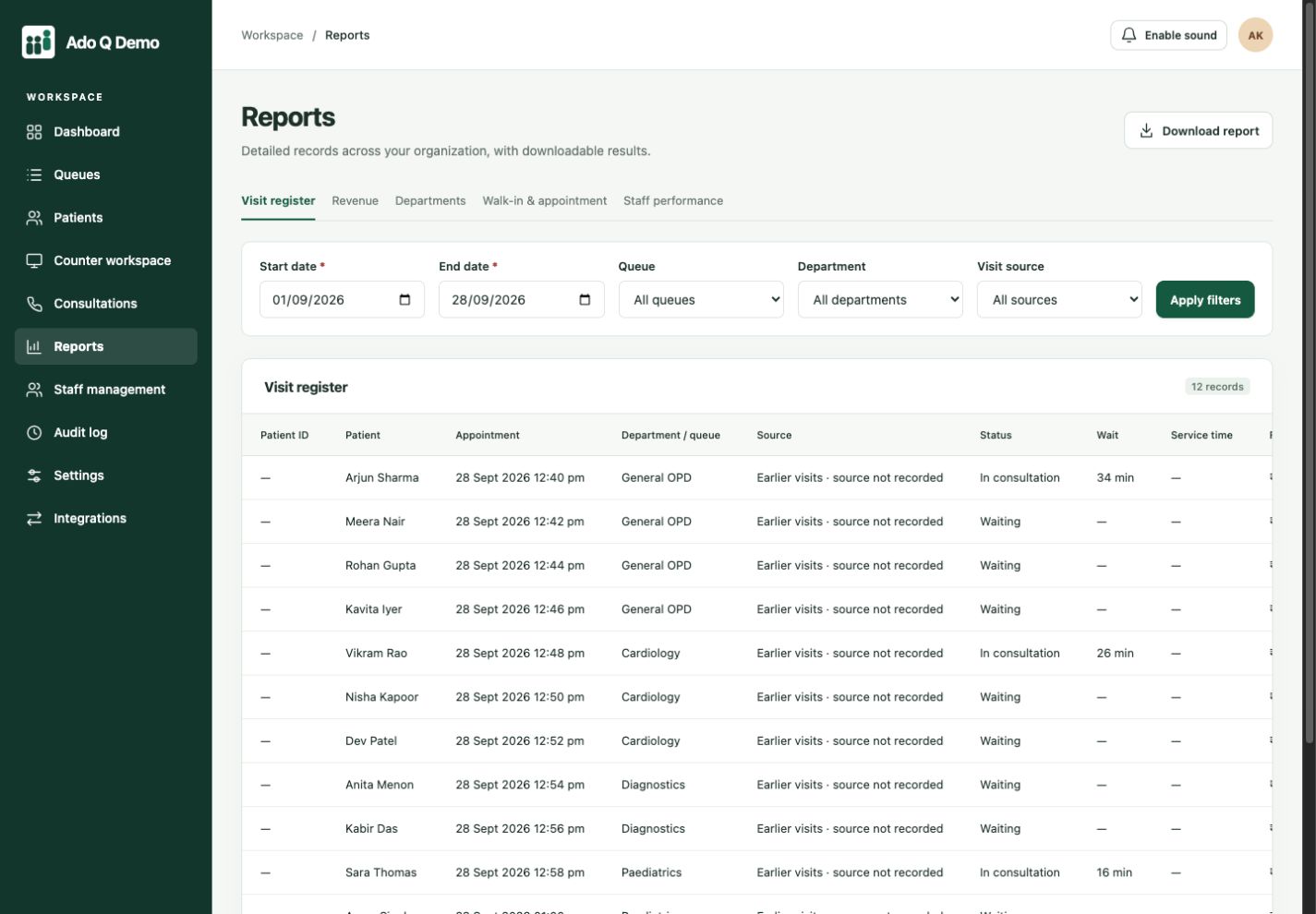
A quiet afternoon can hide a difficult morning. A total visit count can hide one overloaded service point. Use date and queue filters to ask more specific questions about how your operation worked.
Filter the visit register, review service activity and export the relevant report.
Review total and served visits, cancellation rates and waiting-time measures. Hourly and monthly visit views help teams explore demand patterns.
Explore department, appointment, walk-in and recorded revenue reports where included in your plan. Recorded payments are not a substitute for reconciled accounting.
Manage staff records, roles and department assignments. Audit logs help review recorded actions where that capability is included in your subscription.
Select the period and queue you want to understand.
Compare visits, waits and service activity for that scope.
Adjust the workflow and compare a similar period afterward.
Select the period and queue you want to understand.
Compare visits, waits and service activity for that scope.
Adjust the workflow and compare a similar period afterward.
Bring one everyday service scenario to your demo: who arrives, who handles the visit and what information needs to follow them. We’ll walk through the relevant controls and discuss your staff roles, devices and selected plan. Start with a small evaluation using sample records before planning a wider rollout.
No. Report depth, support and audit-log availability vary by plan. Review the pricing comparison and confirm your requirements during a demo.
No. Establish your own baseline and compare similar service periods and staffing. A chart alone does not establish an improvement.
Yes. Staff management includes role and department assignment. Verify the access needed for each job during setup rather than sharing one login.
Connected clients. Coordinated service.
More human connection.