
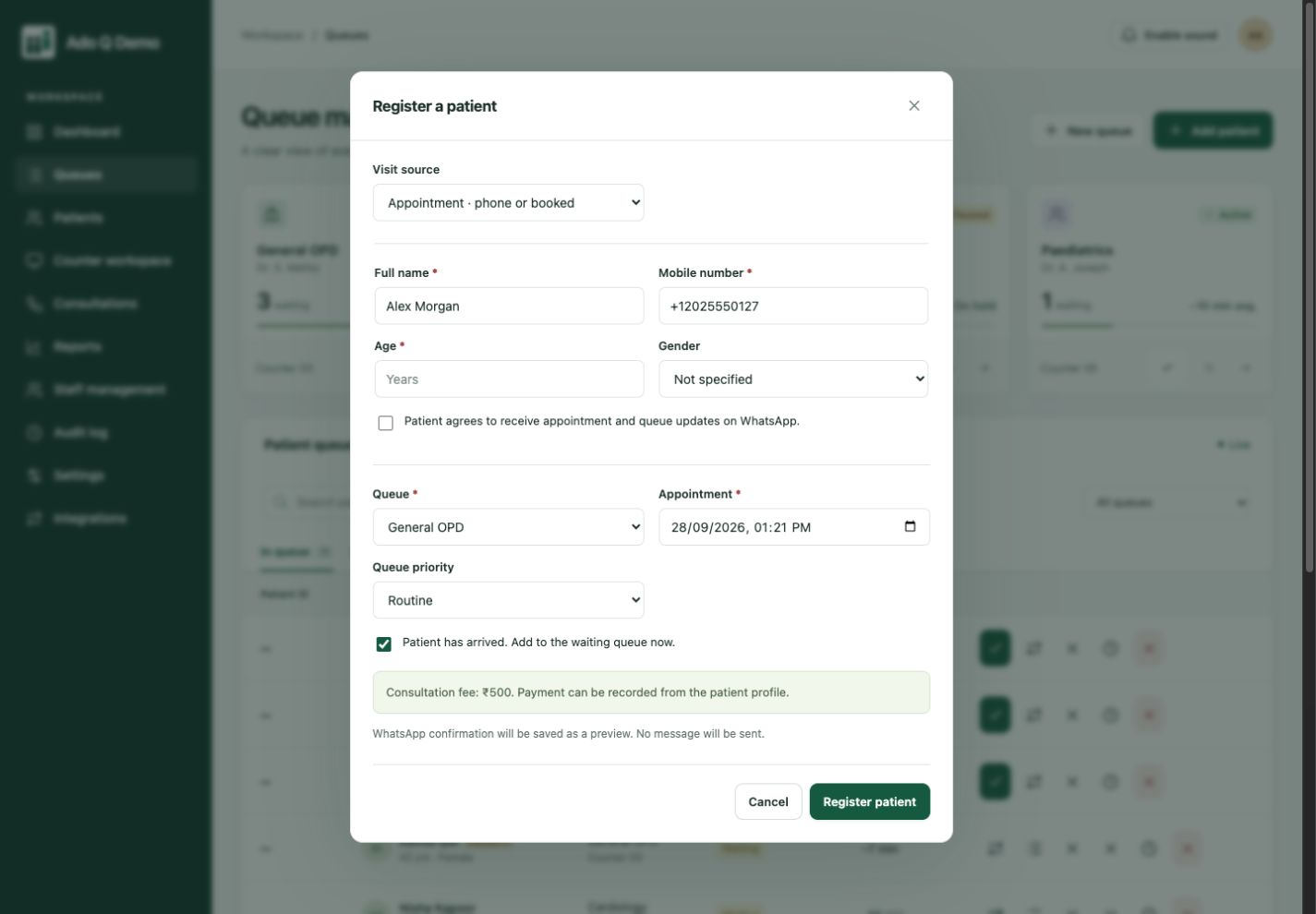
Capture the visit at the desk
Staff can create an appointment from a phone enquiry or conversation. Capture the person’s details and the service they need before the day of the visit.
Someone calls ahead. Someone walks in. Your front desk should not need two disconnected systems to know who has arrived and who needs attention.
An appointment tells you who is expected. Check-in tells you who is actually here. Ado Q connects those moments with the live queue, so reception can coordinate the visit as the day changes.
Select the visit source, record the appointment and confirm whether the person has arrived.
Staff can create an appointment from a phone enquiry or conversation. Capture the person’s details and the service they need before the day of the visit.
Register unscheduled arrivals without losing sight of scheduled visits. Your team remains responsible for the policy used to order and prioritize service.
Look up a returning patient or customer and retain their visit history. A permanent ID, when enabled, helps staff find the correct profile.
Staff record the appointment and the intended service.
Confirm arrival and place the visit into the service workflow.
Manage the live queue and retain the completed visit history.
Staff record the appointment and the intended service.
Confirm arrival and place the visit into the service workflow.
Manage the live queue and retain the completed visit history.
A booked service visit and an unplanned arrival need the same essentials: the right client, a clear reason for the visit and a team ready to help. Use staff-managed appointments alongside walk-ins at service centres, diagnostic labs and other reception-led businesses.
Keep the visit connected to client records and history. Read our guide to managing appointments and walk-ins together, compare plans and pricing, and bring your arrival policy to a demo.
This page describes staff-managed appointments. Do not assume a public self-booking portal or external calendar synchronization; discuss those requirements with us.
No. Service durations, walk-ins and interruptions can affect timing. Queue estimates should be explained as estimates.
Yes. Staff can find an existing person record and connect further visits to that profile instead of starting over.
Connected clients. Coordinated service.
More human connection.