
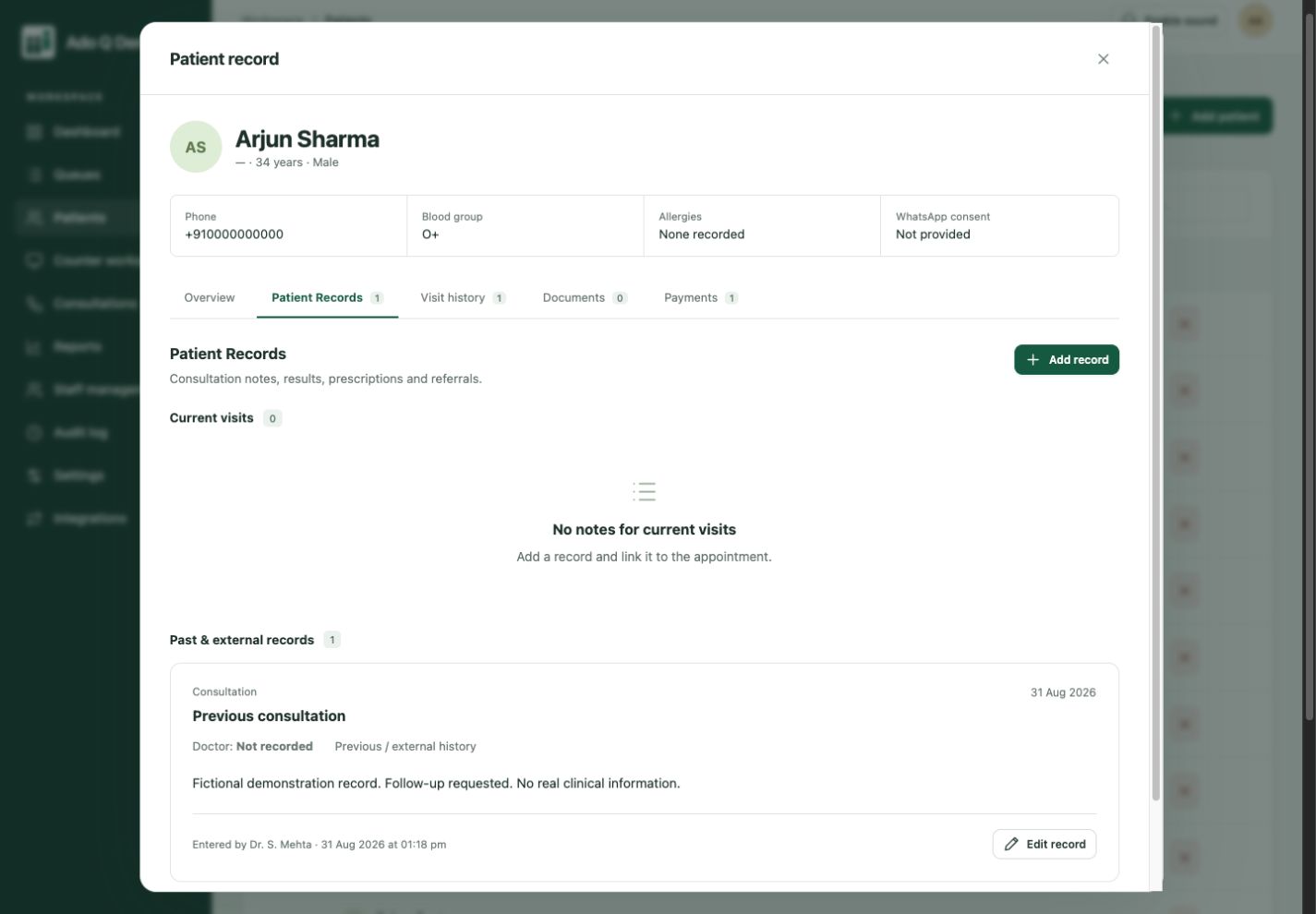
Identify the right person
Enable permanent IDs with your preferred prefix and sequence. Use patient or customer terminology and configurable fields to match your organization.
A visit should add to the story, not create another disconnected file. Give authorized staff a place to find the person, their previous visits and the details recorded along the way.

Returning patients and customers bring history. When that history is scattered across paper, files and messages, your team repeats questions. A connected profile makes previously recorded context easier to find before the next conversation.
Clinical entries, visit history, documents and recorded payments sit inside the person’s profile.
Enable permanent IDs with your preferred prefix and sequence. Use patient or customer terminology and configurable fields to match your organization.
Review service notes, recommendations and previous visits. Healthcare teams can also record practitioner details, clinical notes and referrals. Keep uploaded documents connected to the profile.
Keep recorded payment status and visit information alongside the profile. Staff permissions govern access; a public queue display is not a clinical-record viewer.
Documents stay connected to the profile.
A recorded entry, not an online payment.
Look up a returning person or register a new one.
Record the visit, notes, documents and relevant custom fields.
Open the history when the person returns for another service.
A service centre can keep customer details, visit reasons and staff notes together. A clinic can use patient terminology and retain recorded visit history. A public-facing team can keep the context of a returning visitor. Configure the supported fields and terminology for your organization; the person’s record remains separate from each visit.
Explore service-centre workflows or clinic workflows, and see how visit-focused client management differs from a sales CRM. Compare plans and pricing, then ask us to demonstrate a returning client’s complete visit.
Ado Q manages client and patient information around service visits. It is not a complete sales-pipeline CRM or a replacement for specialist hospital, prescribing or laboratory systems. Evaluate the records and service workflows your team needs.
The visitor queue link shows queue and visit status. Detailed notes, clinical records and uploaded documents are managed through authorized staff access, not the public queue view.
No. A payment entry records operational information. It should not be confused with an enabled payment gateway or accounting integration.
Connected clients. Coordinated service.
More human connection.