01 / THE CHALLENGE
Visitors cluster at registration and collection
WITH ADOQ
Give each service point its own queue
Set up reception and collection queues, then call or transfer visitors as the operational steps are completed.
Organize registration and collection queues, identify returning visitors and keep uploaded reports and payment entries connected to the right record.

Morning arrivals can crowd the reception desk. Collection staff need to know who is next, while returning visitors need their previous documents found quickly. AdoQ connects these operational steps around one visitor record.
Practical tools for the moments your team handles every day.
Set up reception and collection queues, then call or transfer visitors as the operational steps are completed.
Share a private status link with queue position and an estimated wait. Estimates can change as service progresses.
Attach relevant reports and record full or partial payment entries alongside the visit for authorized staff to review.
A suggested workflow you can adapt to your service points and staff responsibilities.
Find a returning record or register a new visitor with your configured ID format.
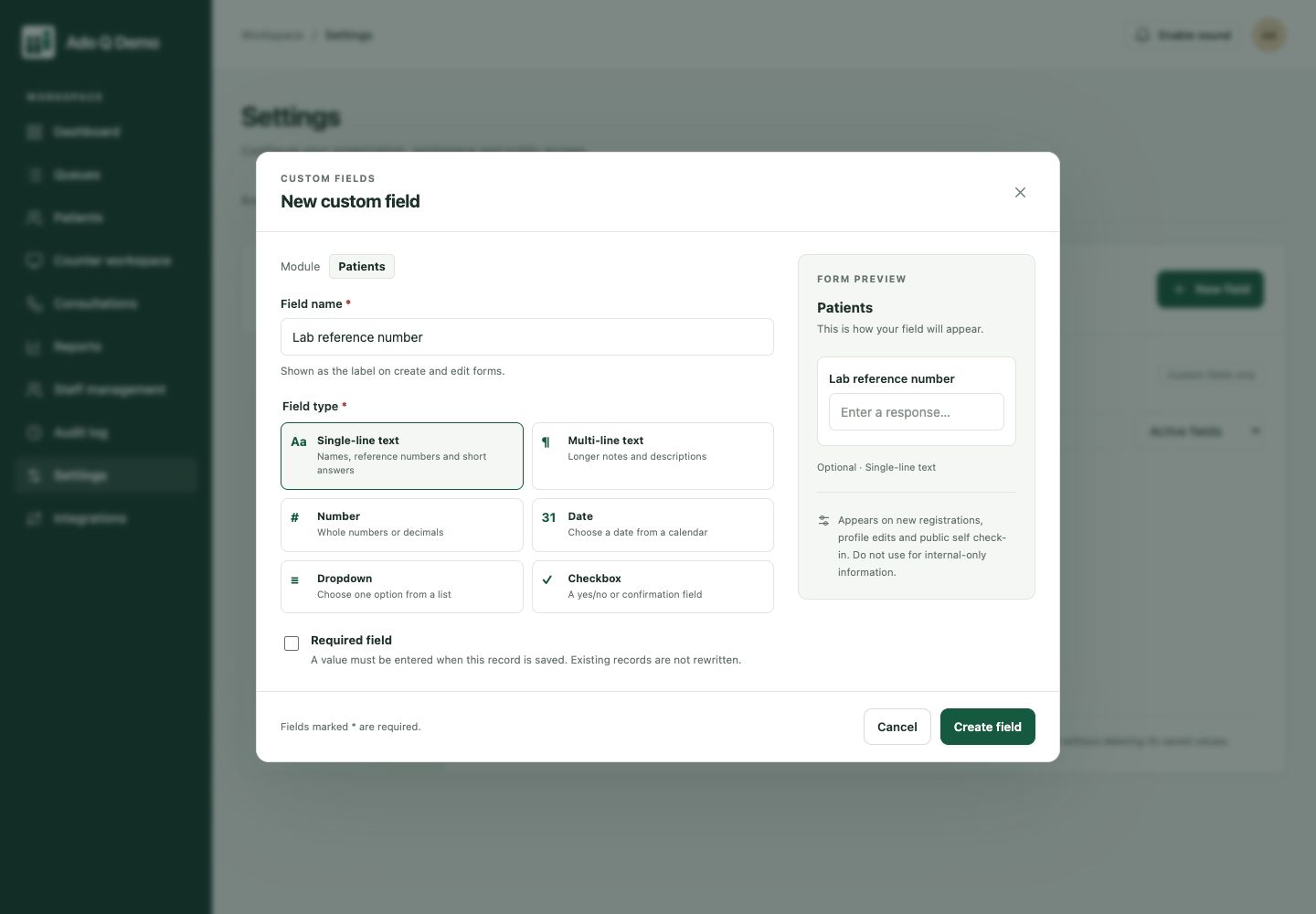
Use custom fields for the operational details your reception team needs.
Call the next visitor or transfer them to another configured queue.
Upload relevant reports and update payment entries without separating them from the visitor profile.
A consistent way to identify visitors, record details and see the queue for each service point.
A clear next-person view and the ability to pause, call or complete the operational visit.
Give patients a personal queue-status link. They can check their place from their phone, without installing a dedicated app or returning to the desk for every update.
Their phone shows queue and visit status. Your authorized team manages the detailed records, notes and documents in Ado Q.
See the visitor experience QUEUE STATUS
Sample collection
Sample queue preview · One personal link.
No dedicated app to download.
Keep the patient’s details and uploaded documents useful after their place in line is called.
Manage contact details, visit history, uploaded report documents and recorded payments in one patient profile. Return visits stay connected to the existing record.
Explore record managementWhere your service includes a qualified practitioner, arrange a one-to-one online consultation and record their recommendations. Ado Q does not generate or interpret laboratory results.
Explore online consultationsThe real field editor shows how a lab reference field can fit into registration. This is configurable record keeping, not laboratory result generation.
No. Staff can upload existing reports. AdoQ does not analyze samples, connect to laboratory instruments or generate test results.
No. The public queue view is separate from clinical records. Uploaded documents are available through authorized staff access, not the waiting-room display.
Yes. Configure a registration queue and a collection queue, then transfer the visit when the person is ready for the next service point. This coordinates the visit; it does not track specimens or replace your laboratory information system.
No dedicated patient app is required. Staff can register arrivals at the desk. QR check-in and browser-based status links are options for people who want to use their phones, not a requirement for everyone.
AdoQ is not a laboratory information system. Sample tracking, instrument integration and result generation are outside its scope. The current trial is a test environment: use fictional information only.
Connected clients. Coordinated service.
More human connection.